
Toolbox Talks
a safety briefing, ready to read to the crew
How to pick a talk from ShieldSphere's library of 120, or generate one from your own policies or any topic you name - then tune it, schedule it, and deliver it to the crew.
Short answer
ShieldSphere's Toolbox Talks, part of the Training module, gives you the five-minute safety briefing three ways: pick one of 120 ready-written library talks, generate one from your own policy so it says what that policy says, or describe any hazard for a custom talk. Deliver it as a session and the attendance becomes training records.
1What Toolbox Talks does
Toolbox Talks writes the five-minute safety briefing for you - grounded in your own policies, in plain language, ready to read to the crew before the shift.
There are three ways to get one:
- From the library - 120 talks ShieldSphere ships, written and ready to deliver as they stand.
- From a policy - turn one of your written programs into a talk that reflects what your policy actually says.
- From a topic - describe any hazard or safety concern and get a custom talk written for it.
Either way, you get a structured briefing - an overview, why it matters, the key points - that you can tune to your company, schedule, download and deliver.
It used to have its own sidebar entry. It now sits in the Training module, next to the records that delivering a talk produces. Old links and bookmarks still work - they forward to the right tab.
Talks you generate are AI-written. Review, edit and adapt them to your worksite before reading them to employees - the AI does not know your floor the way you do. Library talks are different: they are written and reviewed in advance, and are meant to be delivered as they stand.
2Words you'll see
| Term | What it means |
|---|---|
| Toolbox talk | A short safety briefing delivered to a crew, usually before a shift or task. |
| Generate from policy | Producing a talk from one of your existing written programs. |
| Custom talk | A talk generated from a topic you describe, rather than a policy. |
| Generation rules | Optional company-wide instructions - length, tone, required reminders - applied to every new talk. |
| Schedule | Setting a date to deliver a talk, from the calendar icon on a generated talk. |
| Library talk | One of the 120 talks ShieldSphere ships, ready to deliver without generating anything. |
| Adopt | Taking a library talk into your own talks, so you can schedule and deliver it. |
| Presenter mode | The full-screen view for reading a talk to a crew, with the sign-in QR alongside. |
| Session | One delivery of a talk. Closing it writes the training records - see the Training Sessions guide. |
| Rotation | Settings that decide which talk ShieldSphere suggests next, and on which day. |
3The ShieldSphere library
Most weeks you do not need a talk written. You need a good one chosen, and you need it now.
ShieldSphere ships 120 talks across 15 categories: general safety and culture, PPE, falls and working at height, electrical, machines and tools, forklifts and vehicles, chemicals and HazCom, confined spaces and atmospheres, fire and emergencies, ergonomics, environmental and seasonal, construction, warehousing and manufacturing, health and wellness, and a Canada set. The 30 most-used talks also have a Spanish version.
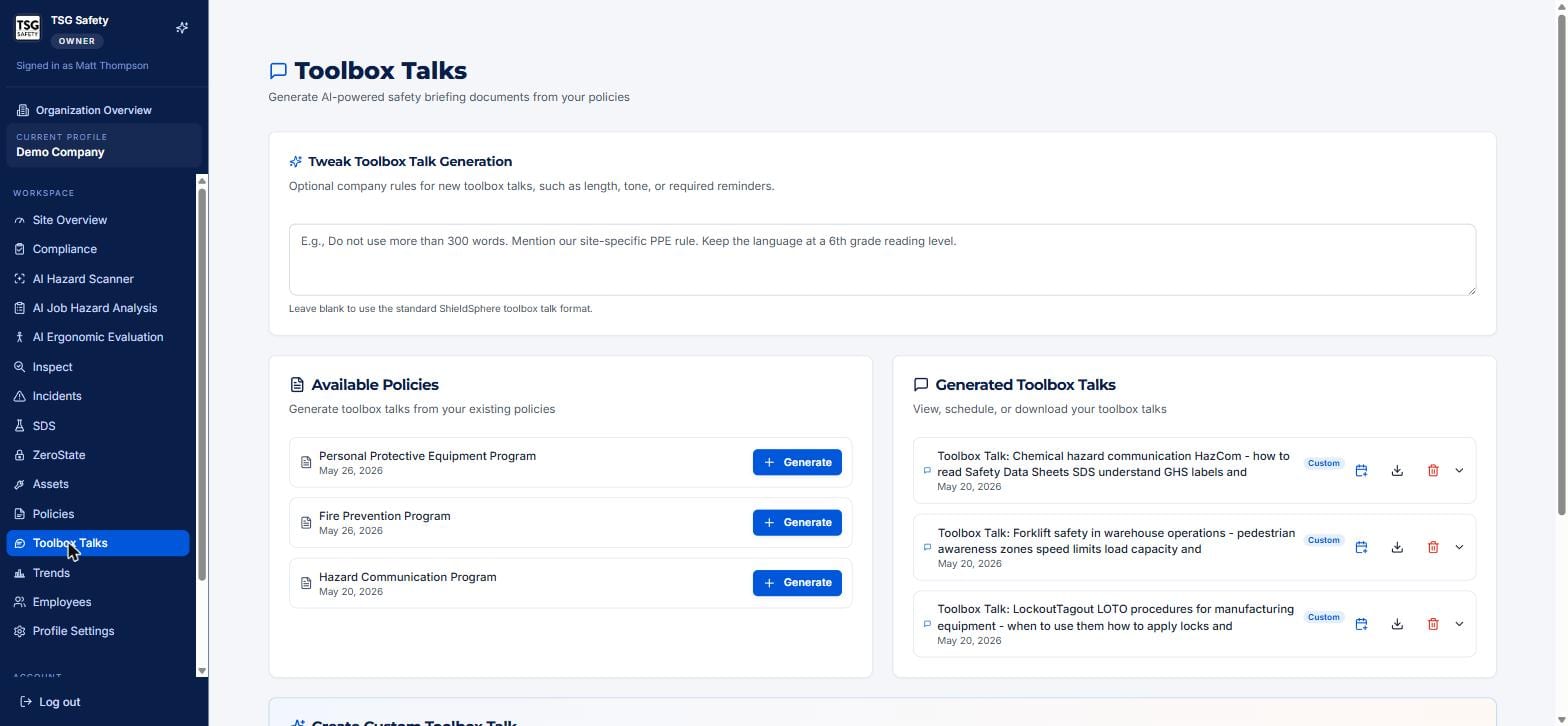
Open a talk to read it, then adopt it to take a copy into your own talks, where you can schedule it, deliver it and export it like any other.
A library talk costs nothing to use and needs no review before you read it. Generate a talk when you need something the library does not cover, or when you specifically want the briefing to mirror your own written policy.
4Generate from a policy
The talk your crew hears and the policy in your binder should say the same thing. Generating from the policy guarantees it.
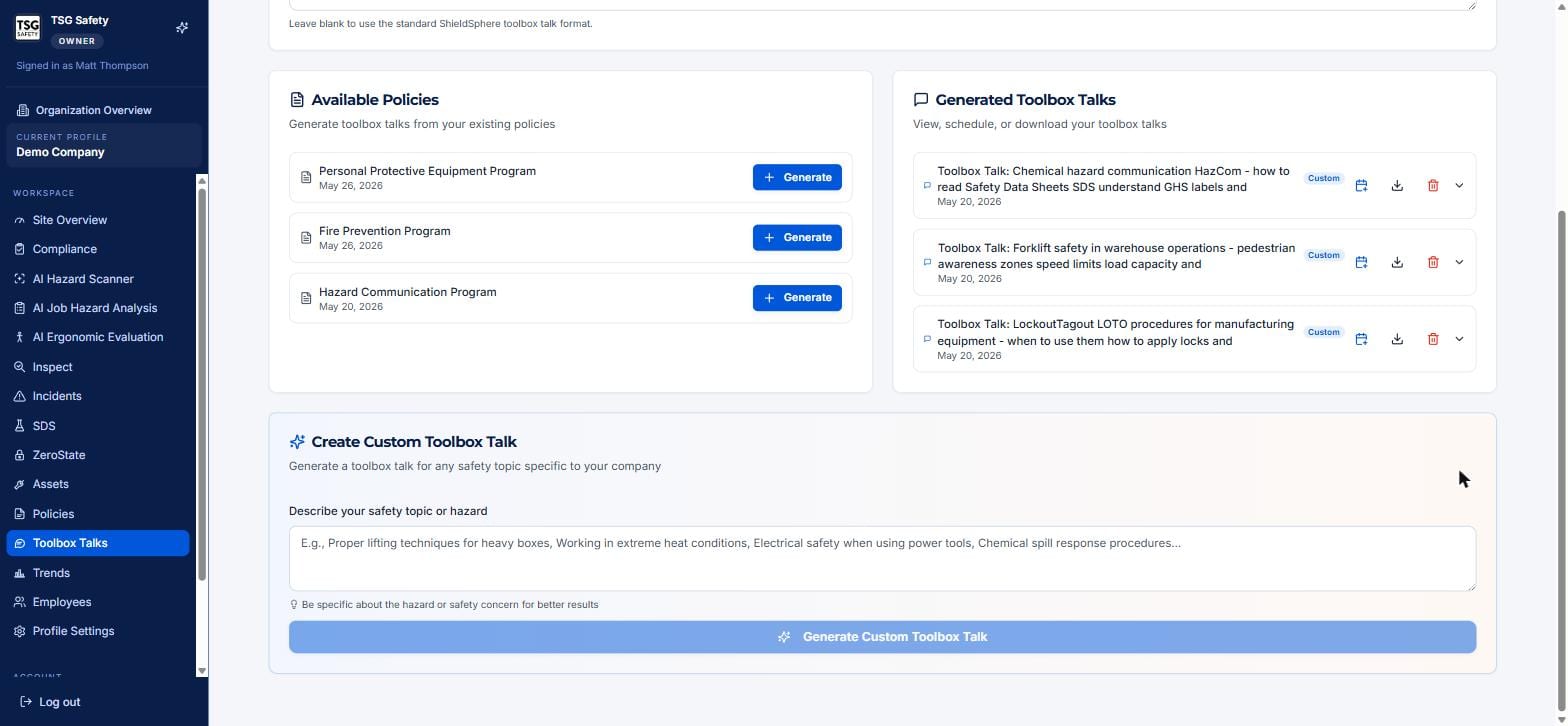
Find the program under Available Policies and click Generate. In a few seconds a talk built from that policy appears in the Generated Toolbox Talks list, ready to open, schedule or download.
5Create a custom talk
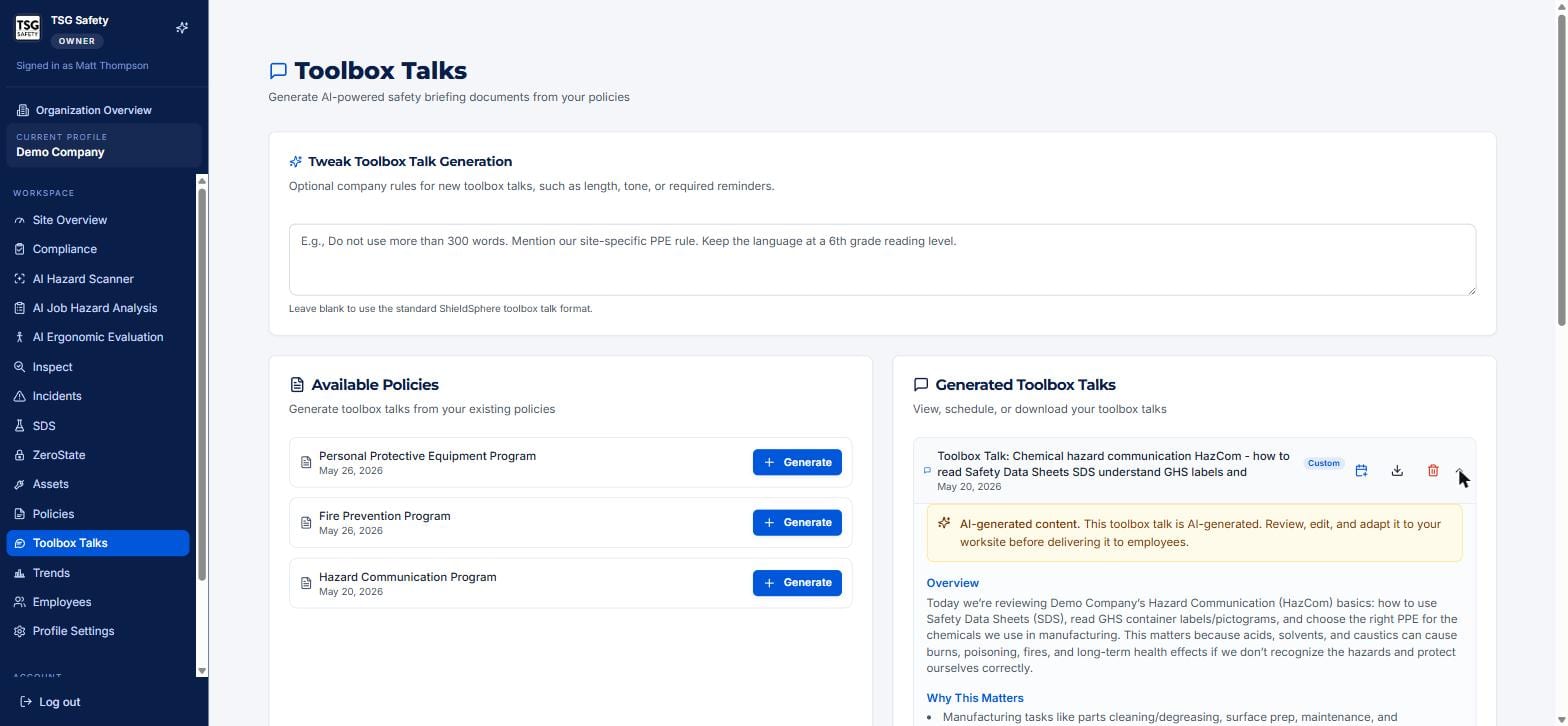
When the topic is not one of your policies - a seasonal hazard, a one-off task - describe it and let the AI write it.
6Set your company rules
At the top of the module, Tweak Toolbox Talk Generation lets you set optional rules that apply to every new talk - a length cap, a reading level, a required reminder, a mention of a site-specific rule.
Something like "keep it under 300 words, at a 6th-grade reading level, and mention our hard-hat rule" set here shapes every talk you generate afterwards. Leave it blank to use the standard ShieldSphere format.
7Deliver a talk
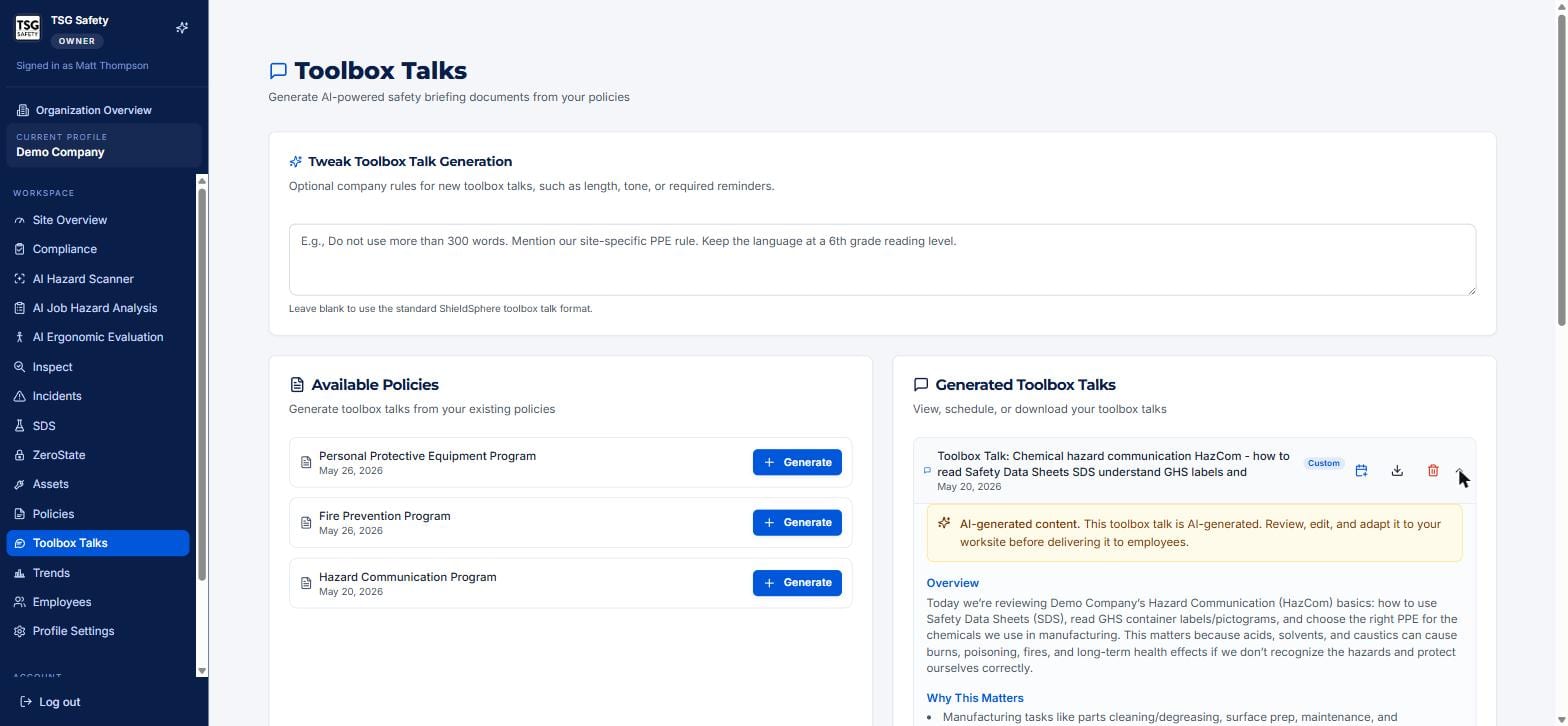
A generated talk is only useful once it reaches the crew. The controls on each one get it there.
| Control | What it does |
|---|---|
| Chevron (expand) | Opens the talk's full text in place so you can read or review it. |
| Calendar | Schedules the talk for a delivery date. |
| Download | Saves the talk as a document to print or hand out. |
| Trash | Deletes the talk. |
Presenter mode
Presenter mode puts the talk full screen in the order you actually read it - overview, why it matters, discussion points, safety reminders, and questions to ask the crew - with the session sign-in QR alongside, so people can sign in while you are still talking.
Getting the record
Reading a talk proves nothing on its own. The training record comes from running it as a session: create the session, show the QR, let the crew sign in, and close it. That writes a dated record for everyone who attended, with their signature. This is covered in full in the Training Sessions User Guide.
Read it aloud, then make it a conversation - ask the crew where the hazard shows up on your floor. The session gives you the evidence; a talk that changes behaviour is the point.
8What comes round next
The hardest part of a weekly talk is not writing it. It is deciding, every week, what this week's should be.
Rotation settings answer that for you. Set them once per location:
| Setting | What it changes |
|---|---|
| Day of the week | The day the next talk is dated to. Set it to the day you actually hold them. |
| Industry | Weights the suggestions towards the talks that matter for your work. |
| Jurisdiction | United States, Canada or both - which decides whether the Canadian talks are included. |
The card then shows what is next in rotation, along with anything flagged as a priority for your industry or a seasonal pick - heat illness in July, cold stress in January.
When a hazard turns up in an inspection or a hazard scan, you can go from it directly to a talk on that hazard and schedule it. It is the shortest honest route from "we found this" to "we briefed the crew on it".
9Troubleshooting
| Symptom | Cause and fix |
|---|---|
| No policies to generate from | None have been created yet. Generate policies in the Policies module first, then return here. |
| The talk is too long or off-tone | Set a rule in Tweak Toolbox Talk Generation - length, reading level, tone - and generate again. |
| A custom talk missed the mark | Be more specific in the topic description - name the task, the hazard, and the setting. |
| I need a copy to hand out | Use the download icon on the talk. |
| The talk mentions something that is not true of our site | It is AI-generated - edit it before delivery. Never read a talk you have not reviewed. |
Try Toolbox Talks in ShieldSphere
Start a free hazard scan and see the platform these guides describe - no credit card required.
Screens captured from the live application in July 2026 using a demonstration site - your screens will show your own data. Because ShieldSphere ships changes regularly, check the version above against the current release before circulating this guide widely. Questions? Contact support.