
Policies
your written safety programs, graded and on file
How to see which OSHA programs your site needs, read a policy and its AI compliance grade, and find the on-file version of any written program.
Short answer
ShieldSphere's Policies module is where your written safety programs live, each graded against the standard it answers to. It lists every OSHA program relevant to your industry, tracks whether you have each one, and gives the ones you do an AI compliance grade - so you can see which programs exist, how compliant they are, and where the current version of any of them is.
1What Policies does
Policies is where your written safety programs live - the documents OSHA expects you to have, each one graded against the standard so you know how good it actually is.
The module lists every OSHA program relevant to your industry, tracks whether you have each one, and grades the ones you do with an AI compliance review. For an end user, the value is in reading: which programs exist, how compliant they are, and where to find the current version of any of them.
This guide covers browsing and reading policies. Creating them, uploading an existing manual for grading, and managing versions are covered in the companion Policies Administrator Guide.
2Words you'll see
| Term | What it means |
|---|---|
| Program / policy | A written safety program required or recommended by OSHA - HazCom, Fall Protection, Respiratory Protection, and so on. |
| Status | Where a program stands: Not Started, In Progress, Policy on File, or Done. |
| Intake | The site-specific questions answered so a policy can be written for your operation, not from a generic template. |
| AI review | A compliance grade - a percentage - measuring the policy against federal and state requirements. |
| ISNetworld / RAVS | A contractor-prequalification format some clients require. Policies can be produced in this version. |
| Citation | The specific OSHA standard the program answers to (for example 29 CFR 1910.38). |
3The program library
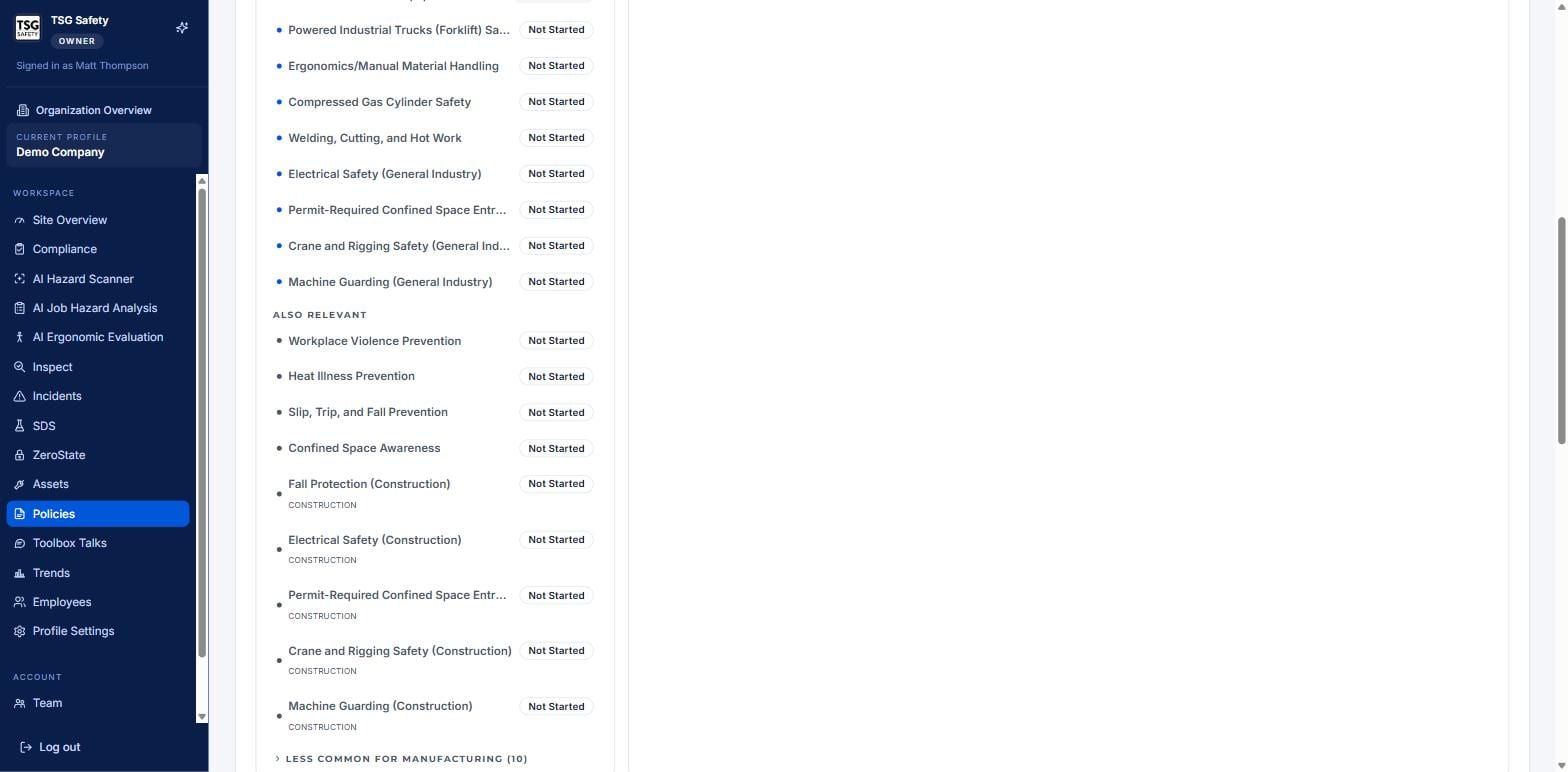
Click Policies in the sidebar. Programs recommended for your industry appear first; every other OSHA program is available below, grouped by category and by whether it is required, also relevant, or less common.
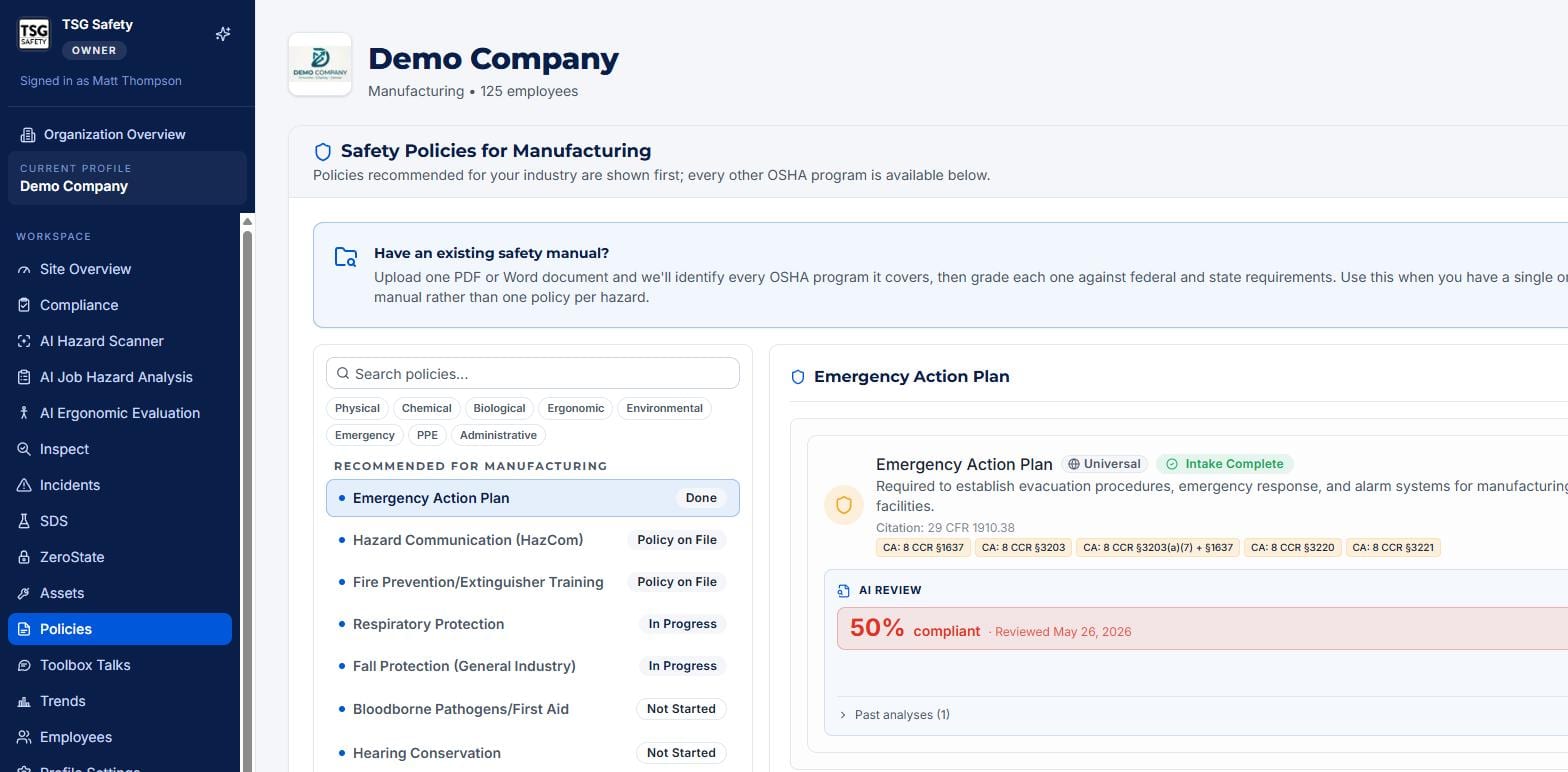
The status badge tells you at a glance where each program stands.
4Reading a policy and its grade
A policy on file is good. A policy graded 90% compliant is defensible. The grade is the point.
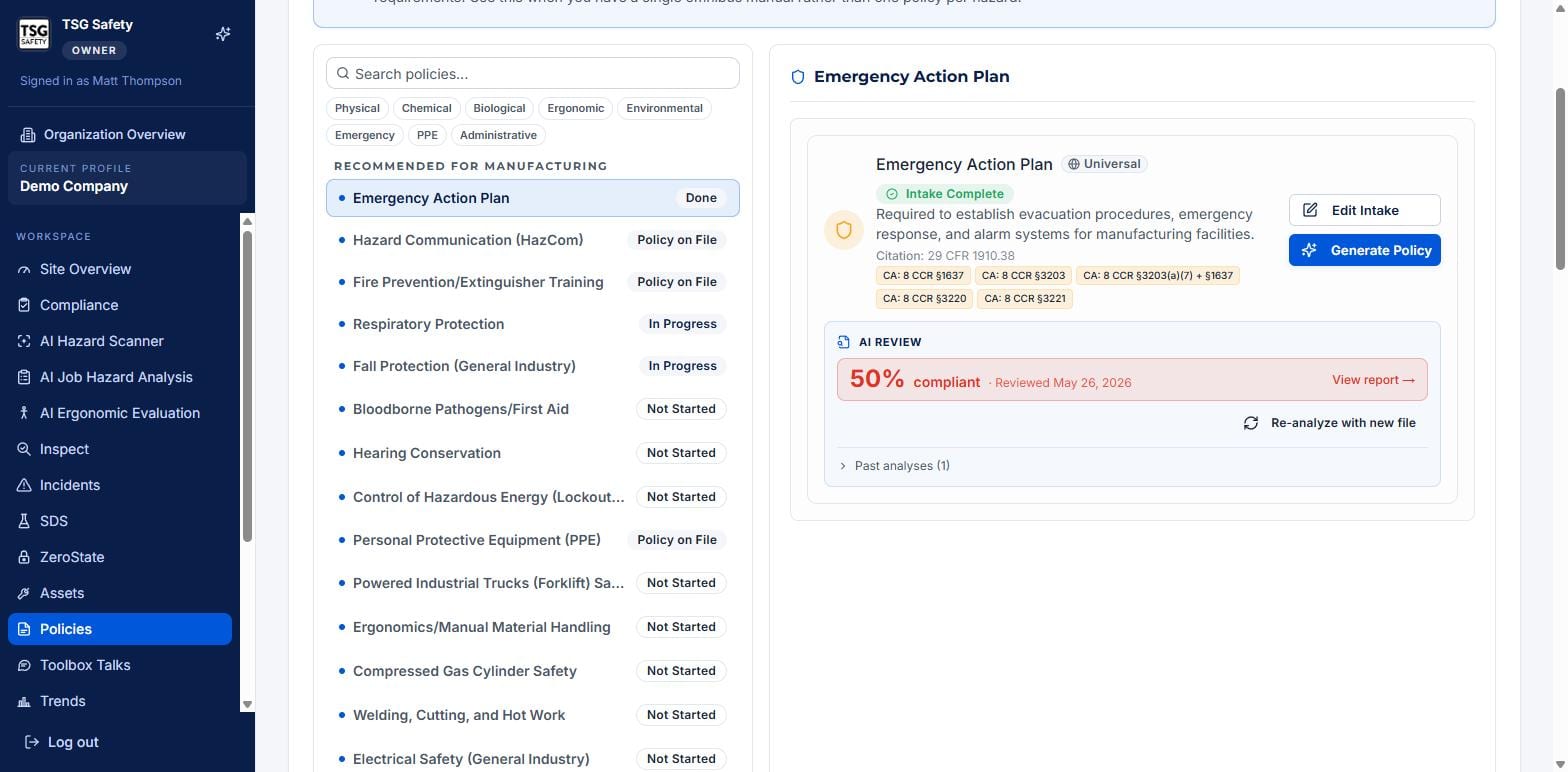
Open a program to see its description, the OSHA and state citations behind it, and its AI review score. Click View report to read where the policy is strong and where it falls short of the standard. Past analyses shows how the grade has changed as the policy was improved over time.
A 50% score is not a failure to hide - it is a map of exactly what to fix. Read the report, and the gaps it names become the next revision.
5Saved policies
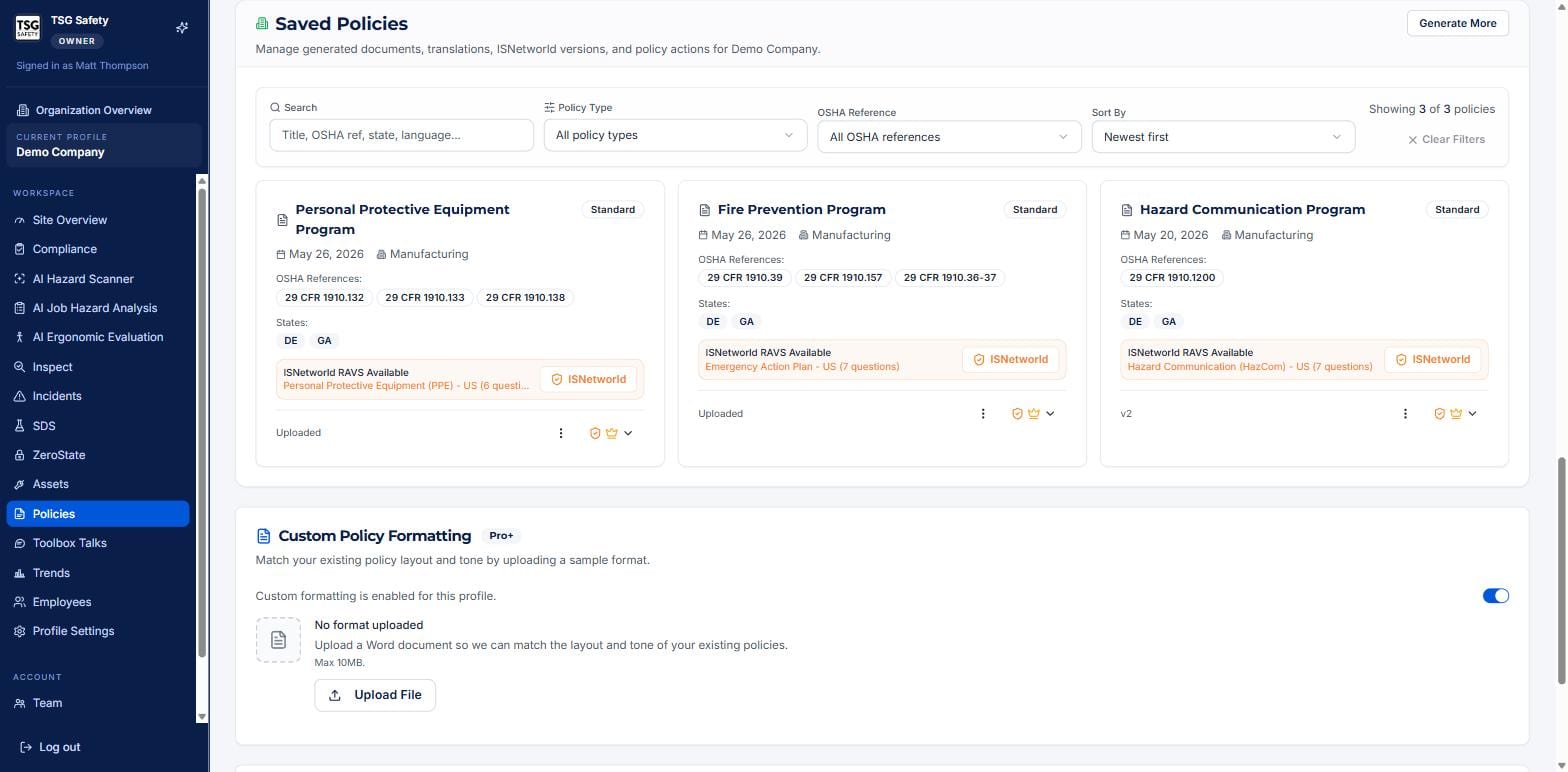
The Saved Policies section holds the finished documents - the generated policies, their state versions, translations, and ISNetworld RAVS versions. Search by title, OSHA reference, state or language, and filter by policy type.
6Troubleshooting
| Symptom | Cause and fix |
|---|---|
| A program shows Not Started | No policy has been generated for it yet. Generating one is an admin task - see the Administrator Guide. |
| I cannot find a written program | Search Saved Policies by title, OSHA reference, state or language, and clear any active filters. |
| The compliance grade looks low | Open View report to see the specific gaps - the grade reflects the policy as written against the standard. |
| A client needs the ISNetworld version | Check the card for an ISNetworld version; if it is not there, an admin can produce one. |
| The program list is for the wrong industry | The recommended set follows the site's industry - confirm the current profile in the sidebar. |
Try Policies in ShieldSphere
Start a free hazard scan and see the platform these guides describe - no credit card required.
Screens captured from the live application in July 2026 using a demonstration site - your screens will show your own data. Because ShieldSphere ships changes regularly, check the version above against the current release before circulating this guide widely. Questions? Contact support.