
ZeroState
administrator setup & configuration
How to build a machine-specific lockout/tagout procedure step by step, finalize and publish it, and manage the procedures at your site.
Short answer
Administrators build lockout/tagout procedures in ShieldSphere's ZeroState Procedure Builder, a five-step wizard covering Equipment, Field Notes, Energy Sources, Personnel and Review, with the draft autosaving throughout. Finalizing publishes the procedure so the floor can follow it. Finding, following and inspecting published procedures is covered in the ZeroState User Guide.
This Administrator Guide covers building and managing lockout/tagout procedures. For finding, following and inspecting published procedures, see the companion ShieldSphere ZeroState User Guide.
1Build a procedure
The builder walks you through a machine-specific lockout/tagout procedure in five steps, so nothing OSHA asks for gets left out.
The ZeroState Procedure Builder is a five-step wizard - Equipment, Field Notes, Energy Sources, Personnel, Review - with your draft autosaving as you go.
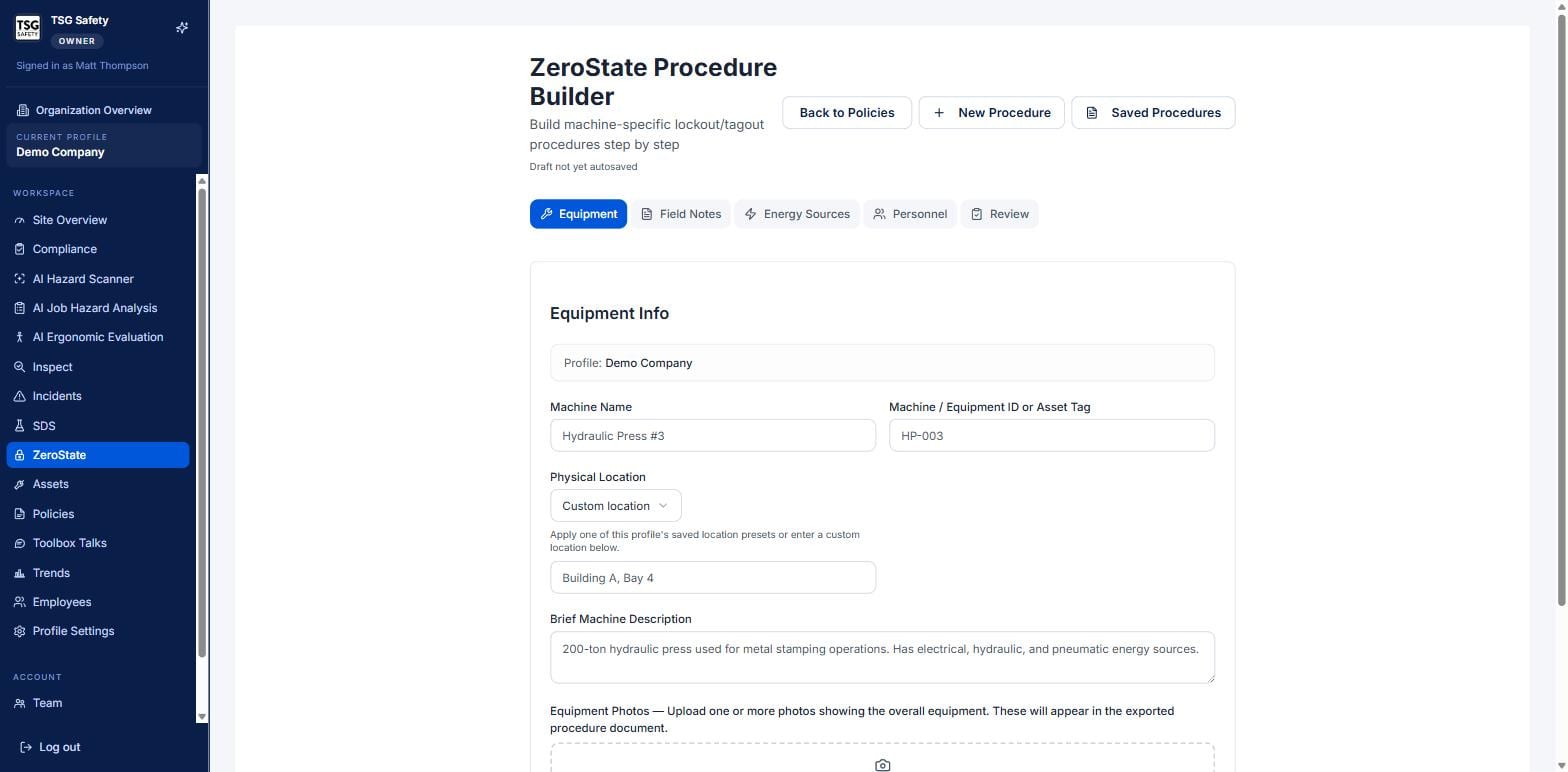
The five steps
| Step | What you enter |
|---|---|
| Equipment | What the machine is, where it lives, and photos of it. |
| Field Notes | Context and hazards specific to this machine that the procedure should reflect. |
| Energy Sources | Every source that must be isolated, its isolation point, and the lockout method. |
| Personnel | The authorized employees and reviewer named on the procedure. |
| Review | A final read of the assembled procedure before you publish it. |
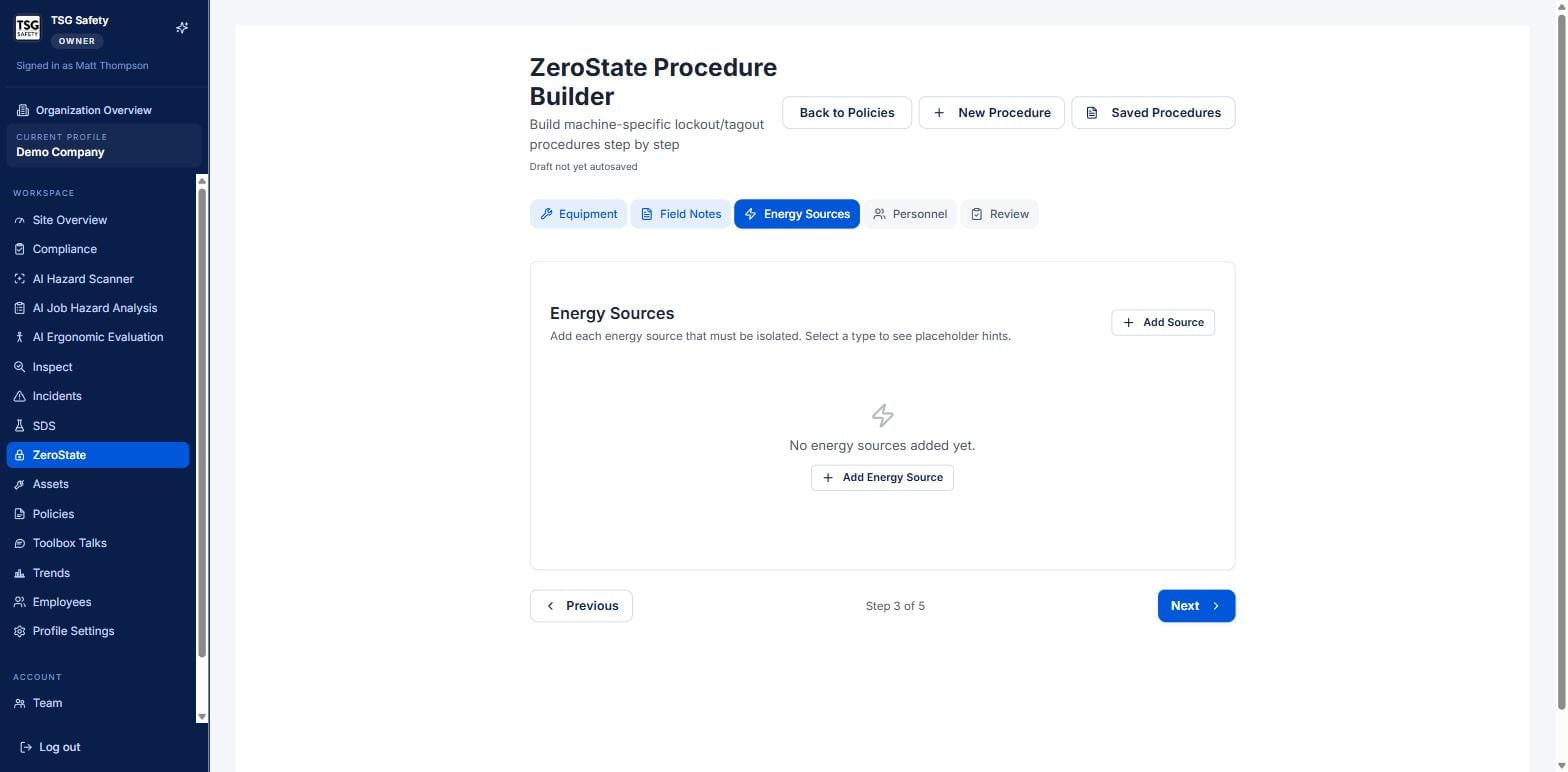
The lockout and verification steps in the finished procedure are generated from the energy sources you list here. Get every source and its isolation point right at this step and the procedure writes itself around them.
2Finalize and publish
On the Review step, check the assembled procedure - energy sources, steps, personnel, PPE - then publish it. A published procedure is marked Final and carries an effective date and a reviewer.
Only finalized procedures can be run against a periodic inspection and appear to end users as in-force. A draft is invisible to the people who need to follow it - publish it once it is right.
Finalizing also starts the clock on the annual periodic inspection: the tracker sets the next inspection one year from the effective date, or from the most recent inspection once one is recorded.
3Manage procedures
From an open procedure, the buttons across the top handle its whole life after publishing:
| Control | What it does |
|---|---|
| Reopen & Edit | Unlock a final procedure to change steps, energy sources or personnel, then re-publish. |
| Copy to Profile | Clone the procedure to another site - the fast way to stand up a similar machine elsewhere. |
| Move to Profile | Reassign the procedure to a different site when it was built under the wrong one. |
| Download PDF / DOCX | Export the procedure to print and post, or to edit in Word. |
Reopening a final procedure to edit it is how you keep a machine's lockout current when the equipment or its isolation points change. Re-publish it as soon as the edit is done so the floor is never following an out-of-date procedure.
4Troubleshooting
| Symptom | Cause and fix |
|---|---|
| My procedure will not appear for inspection | It is still a draft. Finish the Review step and publish it - only finalized procedures can be inspected. |
| The generated steps are missing a lockout | An energy source was not added. Go back to the Energy Sources step and add every source and its isolation point. |
| I need to update a published procedure | Use Reopen & Edit, make the change, and re-publish. Do not leave it reopened. |
| The same machine exists at another site | Use Copy to Profile and adjust the copy rather than rebuilding from scratch. |
Try ZeroState in ShieldSphere
Start a free hazard scan and see the platform these guides describe - no credit card required.
Screens captured from the live application in July 2026 using a demonstration site - your screens will show your own data. Because ShieldSphere ships changes regularly, check the version above against the current release before circulating this guide widely. Questions? Contact support.