
OSHA compliance · workplace safety
Hours of OSHA compliance work, finished in minutes.
ShieldSphere helps safety pros, and the people who got handed safety as part of a bigger job, get through policies, inspections, hazard reviews, and tracking in a fraction of the time, without cutting the corners that auditors notice.
Upload a workplace photo and get cited OSHA standards and corrective actions back in seconds. Every citation is pulled from the actual regulation text, not written from memory.
Generate OSHA-aligned policies and toolbox talks in minutes, tailored to your industry and operation.
Track training, fit tests, incidents, and documentation in one system, so audit prep stops eating your week.
The AI Hazard Scanner in action: a workplace photo in, cited OSHA findings out, in seconds.
Growth Modules
- AI Hazard ScannerCited OSHA standards from a jobsite photo or short clip in seconds, ready to walk with the operator on the spot.
- AI Job Hazard AnalysisA formal JHA from a short task video or a written description in minutes, with steps, hazards, controls, and a one-page employee handout.
- ShieldSphere InspectA leadership-ready safety report from your site photos, in minutes instead of hours.
- ShieldSphere ZeroStateEquipment-specific lockout procedures generated in minutes, with authorized employees and inspections tracked in one place.
Trusted by safety teams at

What You Actually Get
Every finding names the standard it came from. Here is a real one.
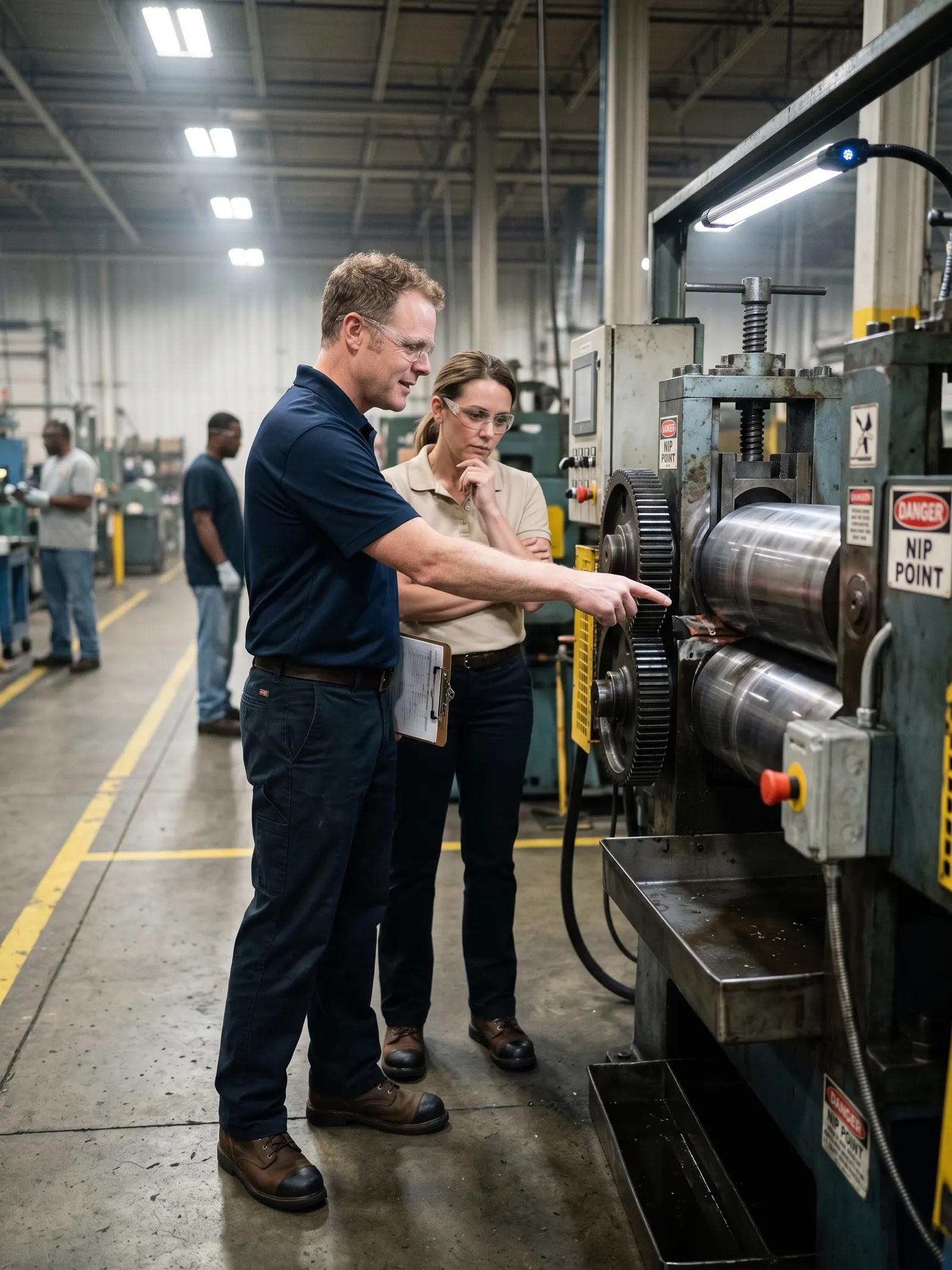
This is an unedited scan of a metalworking shop floor. Three violations, each tied to the regulation it was retrieved from, with the correction written in plain language. The scanner does not write citations from memory. It cites the standard text it actually retrieved.
AI-generated content. Findings are generated from the uploaded photo. Verify on-site conditions and consult a qualified safety professional before acting.
1. Walking-Working Surfaces
29 CFR 1910.22highMultiple electrical and other cords are lying loosely coiled and tangled on the floor in front of and around the machine, creating a trip hazard in the work area.
Corrective action: Route, secure, or elevate cords and remove excess from the floor so walking and working surfaces are kept clear and orderly.
2. Machine Guarding
29 CFR 1910.212highExposed rotating arms and pinch points on the front of the machine appear unguarded where an operator would stand, presenting a risk of caught-in or crush injuries despite warning labels.
Corrective action: Install and maintain appropriate physical guards or barrier devices to prevent operator contact with rotating arms and pinch points during operation.
3. Portable Fire Extinguishers
29 CFR 1910.157mediumFire extinguisher is mounted low and partially obstructed by a yellow bollard and nearby equipment, which could delay quick access in an emergency.
Corrective action: Reposition the fire extinguisher so that it is clearly visible, unobstructed, and readily accessible along the normal path of travel.
Standards retrieved for machine guarding
The cited rule requires guarding to protect operators and other employees from point-of-operation and rotating-part injuries.
- 29 CFR 1910.212(a)(1)
- 29 CFR 1910.212(a)(2)
- 29 CFR 1910.212(a)(3)(ii)
- 29 CFR 1910.147
Three scans, no account for the first one, no credit card for any of them. Or read the full scanner guide.
Operations Tools
Every part of OSHA compliance, finished in a fraction of the time.
From OSHA-aligned policies and incident logs to jobsite hazard reviews, leadership-ready inspection reports, and equipment-specific lockout procedures, ShieldSphere takes the work that used to fill your week and gets it done in a fraction of the time, with the cited standards already in place.
Compliance Management
The compliance backbone behind your safety operation: OSHA-aligned policies, incident logs, fit tests, training records, and the documentation auditors expect, all in one system.
- OSHA-aligned policies and toolbox talks
- OSHA 300/300A/301 logs, fit tests, and training tracking
- Audit-ready exports, deadlines, and revisions
AI Hazard Scanner
Upload a jobsite or facility photo, or a short video clip of the task, and get cited OSHA standards, severity signals, and corrective actions back in seconds, so you can walk the findings with the operator on the spot.
- Upload workplace photos or a short video clip of the work
- Get cited OSHA references and severity signals back in seconds
- Walk findings with the operator on the spot, then save scans for later
ShieldSphere Inspect
Upload as many site photos as you need and get a comprehensive safety report ready to share with leadership in minutes, instead of the hours it takes to write one manually.
- Upload as many site photos as you need from any device
- Capture findings, corrective actions, and evidence in one flow
- Generate a leadership-ready report in minutes instead of hours
ShieldSphere ZeroState
Generate equipment-specific lockout/tagout procedures in minutes, then keep authorized employees and periodic inspections on track from one place.
- Generate machine-specific LOTO procedures from your equipment list
- Track authorized employees, periodic inspections, and procedure updates
- Export procedures for posting and audit-ready documentation
Because everything lives in one system, the patterns surface themselves.
ShieldSphere reads your corrective actions, training records, hazard findings, near misses, and equipment checks together and flags the patterns a busy week hides: overdue actions piling up at one location, a near miss with no follow-up, last year’s high-incident month coming back around. Each insight lands on your dashboard before you thought to go looking, so you act in minutes instead of finding out in an incident report.
- Catch patterns across corrective actions, training, hazards, near misses, and equipment checks
- Read a plain-language summary grounded in your own numbers, never invented ones
- Act on the recommended next step in one click, or get a digest by email on your schedule
August was a high-incident month at Riverside last year
Riverside recorded 3 incidents last August. With August four weeks out, a walkthrough and refresher training for the affected teams now beats reacting later.
Example insight. ShieldSphere generates these from your own incidents, inspections, training records, corrective actions, and asset checks, with the numbers to back every claim.
Who It's For
Whether safety is your full-time job or just the latest thing on your plate, ShieldSphere helps you do it faster.
Built for safety pros managing volume, and for the operations leads, owners, and HR generalists who got handed safety on top of everything else, ShieldSphere gives you the same time-saving tools either way.
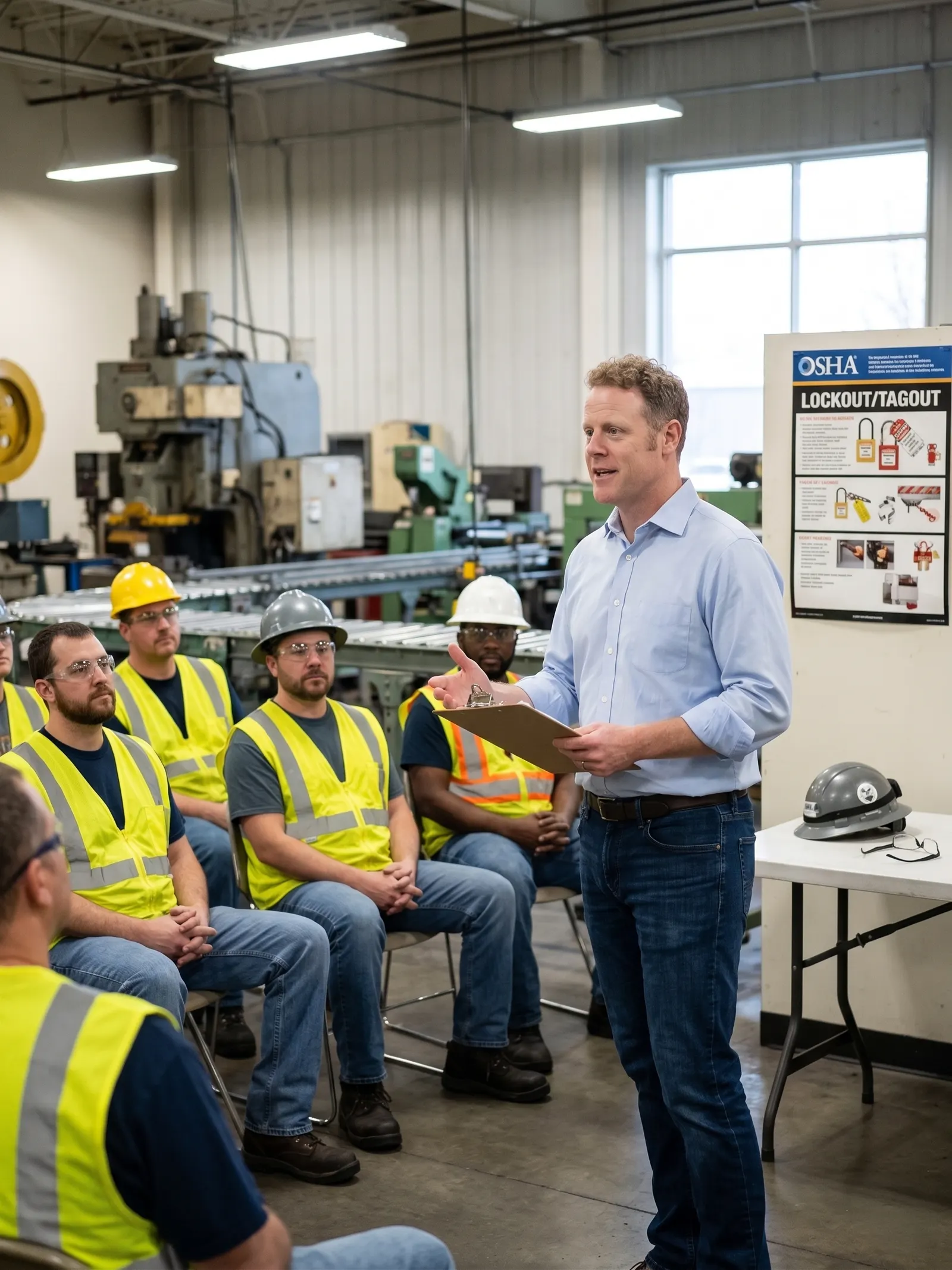
You're a safety pro with too much to do and not enough hours.
Your week is a moving line of policies to update, training to track, hazards to review, and reports to write. ShieldSphere takes the slowest parts off your plate so you can spend the saved hours on the work that actually needs you.
Safety landed on your plate, on top of operations or HR.
You weren't trained on OSHA and you don't have time to learn it the slow way. ShieldSphere generates the policies, logs, and documentation auditors expect, with the cited standards already in place, so you can do safety properly without it eating your real job.
You're running safety across multiple sites, contexts, or contractors.
Different jobs, different hazards, different paperwork. ShieldSphere gives you one system to generate site-specific documentation, run hazard scans and inspections in the field, and keep every location audit-ready from one dashboard.
How it works
From setup to audit-ready, in four steps.
Start with the basics, build the compliance backbone, add the field tools when you're ready, and let the system keep you audit-ready as you go.
Set up your operation in minutes.
Add your company, locations, and work context so every policy, scan, inspection, and record stays tied to the right site. No long onboarding, no consultant needed to get started.
Generate the policies and tracking that auditors expect.
Generate OSHA-aligned policies and toolbox talks tailored to your operation, then keep training, fit tests, incidents, and OSHA 300/300A/301 logs organized in one place.
Add hazard scans, inspections, and LOTO in the field.
Upload site photos for AI hazard reviews, generate leadership-ready inspection reports, and produce equipment-specific lockout procedures, all from your phone or browser.
Keep everything audit-ready, automatically.
Documentation, deadlines, exports, and field activity stay connected so you can show inspectors what they need without scrambling, and so periodic reviews never slip through the cracks.

The binder still works. It just costs you your week.
Printed standards, a shared drive, and a folder of spreadsheets will get you through an inspection, if you have the hours to keep all three current. The point of ShieldSphere is that the documentation stays current without anyone spending their week on it.
Use Cases
The work ShieldSphere is built for.
From construction jobsites to manufacturing floors, healthcare facilities to consulting practices, here's the kind of safety work ShieldSphere takes off your plate.
A construction safety pro running fall protection, scaffolding, and LOTO across multiple jobsites.
Every new project means rewriting the same documentation with different addresses, hazards, and crews. ShieldSphere generates site-specific policies, runs hazard scans from jobsite photos, and keeps inspection reports tied to the right project, so pre-job paperwork stops gating the start of work.
A manufacturing or warehouse plant lead managing OSHA 300 logs, training records, and energized equipment.
Incidents need logging, training has to stay current, and high-risk machines need defensible LOTO procedures. ShieldSphere keeps OSHA 300, 300A, and 301 logs, fit tests, and training records in one system, and generates equipment-specific lockout procedures from your machine list.
An operations lead or owner who got handed safety on top of a broader job.
You don't have a safety background, but you're responsible if something goes wrong. ShieldSphere generates the policies, toolbox talks, and documentation auditors expect, with the cited OSHA standards already in place, so you can do safety properly without it eating the rest of your week.
A safety consultant or fractional EHS leader delivering programs to multiple clients.
Each client has a different operation, different hazards, and different paperwork standards. ShieldSphere becomes the engine behind your delivery: generate client-specific policies, run hazard scans and inspections in the field, and turn around polished reports faster than billing-by-the-hour math allows.
Before You Decide
The questions people ask before they ask about price.
Straight answers with the standards cited, so you can check them yourself.
Still deciding? Read the module guides or ask us directly.
Pricing
Pick the plan that gives you back the most hours.
Start with the AI Hazard Scanner to put cited safety reviews in your pocket, with ShieldSphere Inspect included: run as many checklist inspections as you like, and photo analysis draws on your monthly scans. Growth lifts the scan ceiling entirely and adds policies, video and multi-angle scans, and ZeroState, with power and field seats sized to your team. Enterprise adds single sign-on, white-label, and volume seats when you scale.
Try the scanner before you pick a plan: 3 free AI hazard scans, straight from the free scanner page. No credit card required.
Choose your billing cycle. Annual plans include one month free.
Keep the scanner you tried for free: photo in, cited OSHA standards and corrective actions out in seconds.
- 100 AI hazard scans per month, per seat
- Cited OSHA standards on every finding
- Recommended corrective actions
- ShieldSphere Inspect: unlimited checklist inspections, with photo analysis drawing on your monthly scans (one scan per photo)
- Saved scan history
- PDF and email scan reports
- Add seats for your team, one seat per person
- Email support
Add the field tools that turn hours of safety work into minutes, with seats for the whole team.
- Unlimited AI hazard scans, plus video and multi-angle scans
- Unlimited policies & toolbox talks, with the ShieldSphere toolbox talk library
- Training module: QR sign-in for any training session, records and certificates, requirements by job title
- Compliance calendar, incidents (OSHA 300/300A/301), and fit test tracking
- Unlimited profiles and team collaboration
- Field seats: AI Hazard Scanner, ergonomics checks, and JHA from any phone
- Proactive Insights: pattern detection across incidents, training, hazards, and corrective actions
- Asset registry with printable QR check tags
- SDS library with GHS label data and printable labels
- AI Job Hazard Analysis
- AI Ergonomic Evaluation, from photo or video
- ShieldSphere Inspect with unlimited photo analysis, no monthly scan ceiling
- ShieldSphere ZeroState (LOTO)
- AI policy translation and custom formatting
- ISNetworld compliance mode
Scale ShieldSphere across many sites, clients, or contractors with single sign-on, white-label, and SLA-grade support.
- Everything in Growth
- Volume seat pricing across sites
- Unlimited profiles/locations
- SSO / SAML single sign-on
- API access
- White-label branding
- Dedicated compliance advisor
- SLA guarantee
- Priority support
Get Started
Start with a free scan and get the rest of your week back.
Upload a workplace photo and see cited OSHA standards and corrective actions in seconds. No account for your first scan, no credit card for any of the three.